Every client's bills checked to the cent. Your staff review the exceptions.
Each client has its own invoices and email-in address inside one workspace; Team and Scale add a client upload link. Every bill is read to the line and checked for line math, subtotal + tax and duplicates. Your staff work the flagged ones, with the reason beside the source page. Nothing goes to QuickBooks Online, Xero or Zoho Books without an approval.
Up to 3 invoices a day without signup. Running many clients? Talk to us.
Product capture · synthetic data
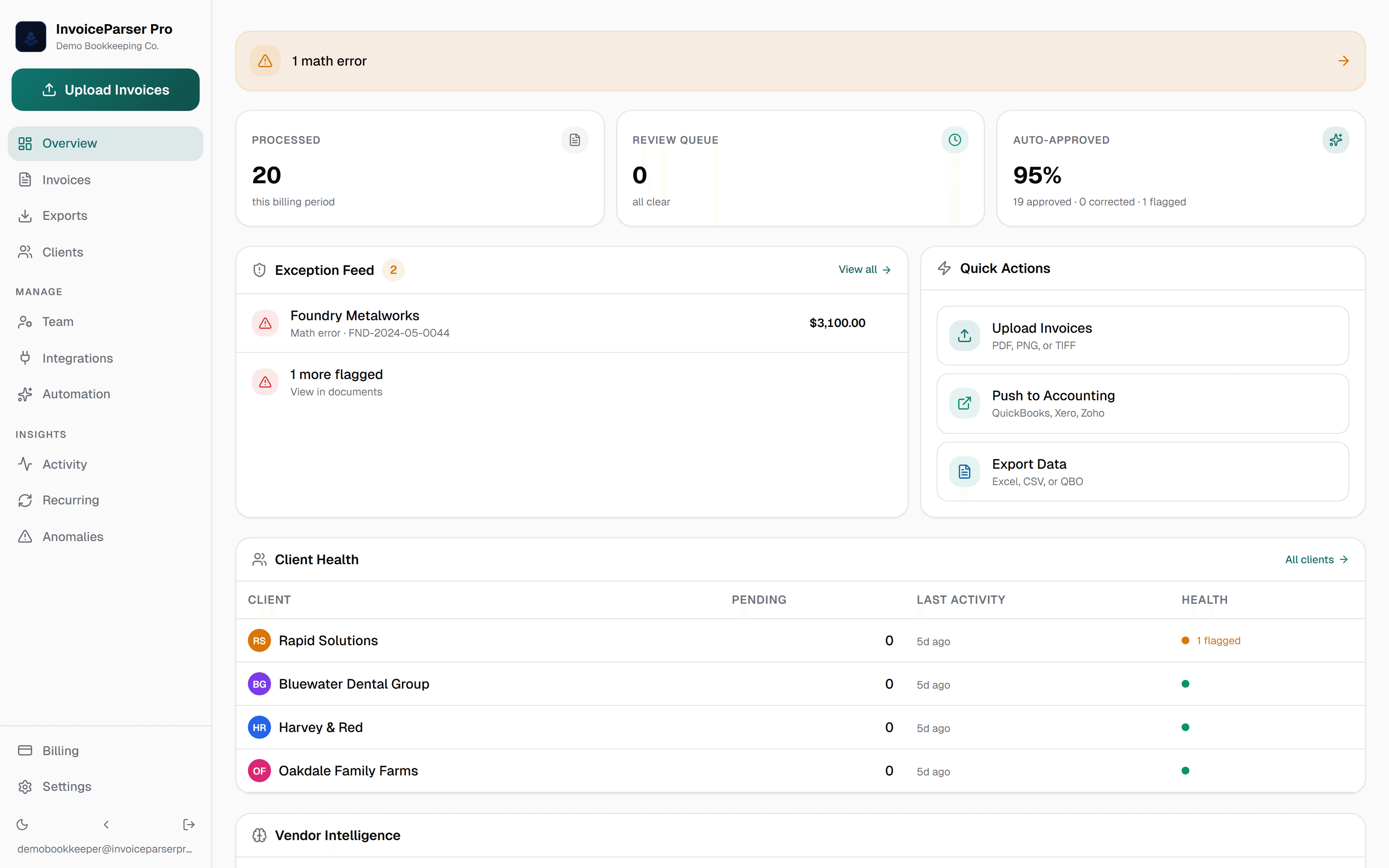
Firm command center
Every client, exception, and push-ready invoice in one controlled view
Client by client
Each client's invoices kept apart
Exception queue
Only flagged invoices need review
Vendor learning
Corrections carry to the next invoice
Paid accounting push
Approved bills to QuickBooks, Xero or Zoho
Line-item
Extraction detail
Multi-client
Clients in one workspace
Tamper-evident
Audit trail on every action
Approved
Paid accounting push

More time for the work that needs your judgment.
A client question. An unusual charge. The invoice that needs a second pair of eyes. Give those moments your attention, with the source document and extracted fields together when you review.
Keep client work organized in IPP, then send approved bills to the accounting system your team already uses.
Watch an invoice move from upload to booksEverything your firm needs to control client invoice data
Clients
Each client has its own invoices, inbox address, default currency and GL account; Team and Scale add an upload link, all inside your workspace. Your team sees every client. The workspace connects to one company per accounting provider; clients on separate books use the per-client CSV and Excel exports, or a separate workspace.
Vendor Learning
Corrections your team makes to a vendor's details and coding are remembered across the workspace and offered on that vendor's next invoice.
Approval Workflows
With auto-approve on, high-confidence invoices approve themselves. Everything else routes for sign-off — one approver or a multi-step chain, with out-of-office delegation when someone's away. Your team reviews exceptions — not every invoice.
Client Email Inboxes
Every client gets a dedicated email address. Clients CC their invoices — InvoiceParser Pro picks them up, extracts, and queues for review automatically.
Role-Based Access
Eight roles, from Owner to Uploader, with per-person switches for bank statements, exports and pushing, and an approval limit. The server enforces them, not just the screen.
Anomaly Detection
On Team and Scale, a bill at twice or more, or a third or less, of that vendor's average for the same client and currency is listed for a second look.
Client Upload Portal
Share a link and clients upload invoices themselves — no login required. Files land directly in that client's queue.
GL Sync in One Click
Push approved invoices to QuickBooks, Xero, or Zoho Books directly, posted to the selected invoice expense account, a matching client default, or the workspace default set in Integrations. Nothing is pushed without an approval.
Multi-client routing and rule-based auto-approval — out of the box
Each client has its own invoice list and email inbox; Team and Scale add client upload links. Auto-approval is off by default. When you enable it, qualifying invoices can approve automatically. Each workspace connects to one company per accounting provider; separate client books use exports or separate workspaces and sign-ins.
Clients
4 active · 12 invoices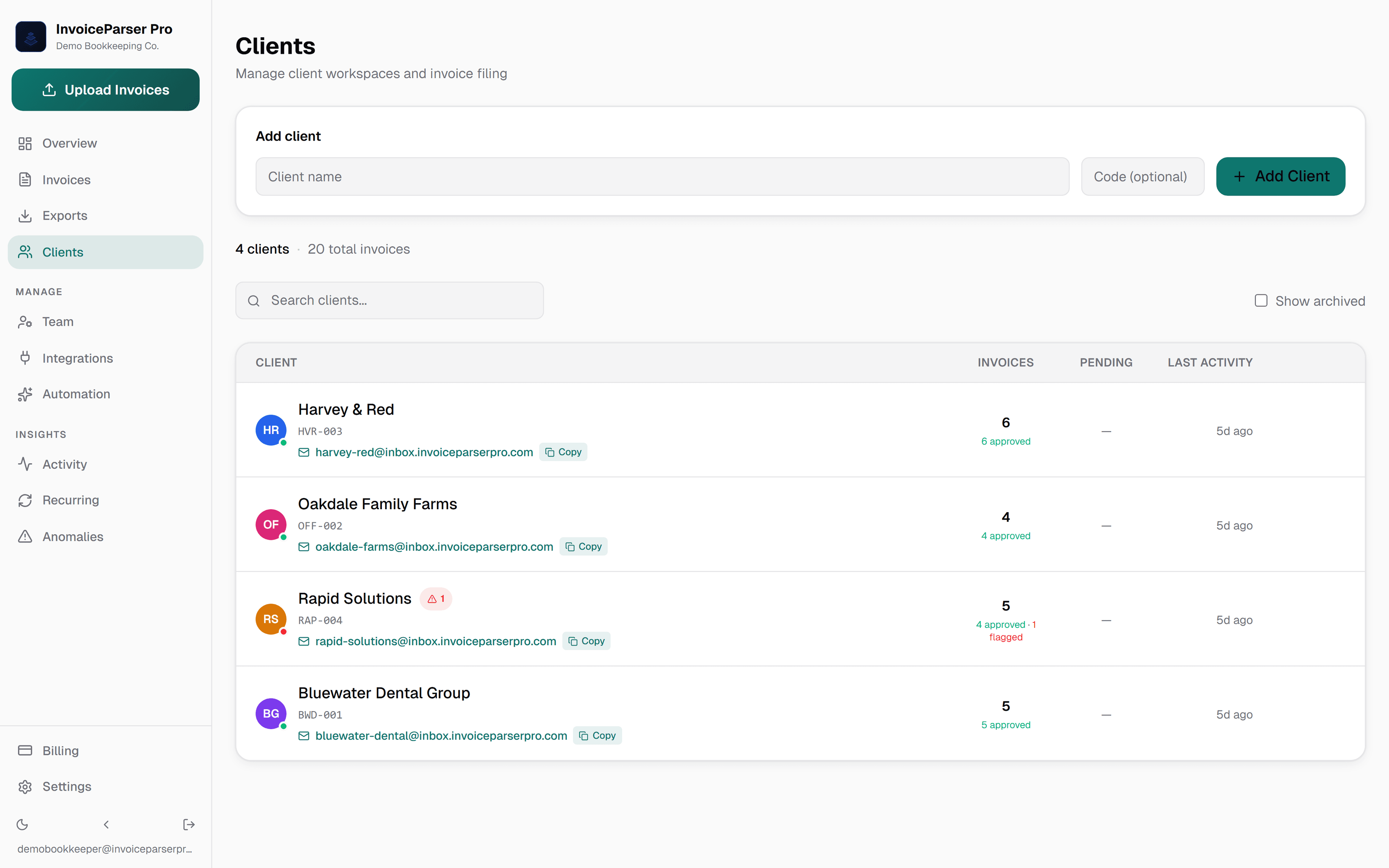
Each client gets a unique inbox
Clients CC invoices to their address. IPP picks them up, files them under that client, extracts, and queues for your review — no portal logins required for the client.
Automation rule
Priority 100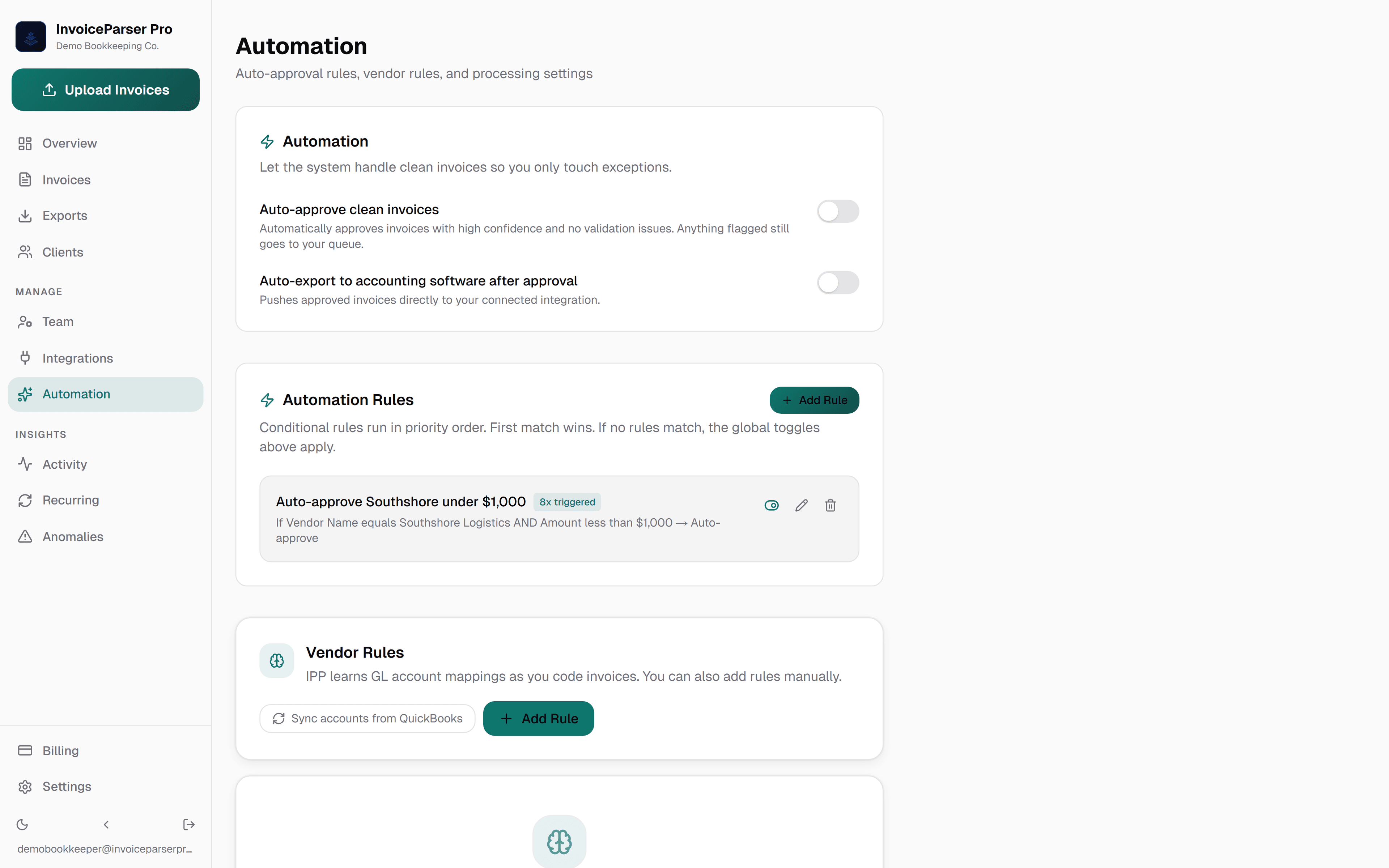
Your team only reviews what matters
Conditional rules run in priority order. Trusted vendors under your threshold push straight to the GL. Anything that doesn't match lands in the review queue.
Set up once. Run every client through the same workflow.
Set up your clients
Add each client to your workspace. Invite your team with the roles they need.
Invoices flow in
Upload directly or let clients email their invoices in. Team and Scale add a client upload link.
Review and approve
Your team reviews flagged invoices and approves eligible bills. Paid plans and the trial can push approved bills within the accounting limits.
Plans built for accounting firms
Team includes 1,000 invoices a month and unlimited users, with line items and multi-step approvals. Start with a 14-day trial of 50 invoices; no credit card required.
Your clients' data stays yours.
Accounting firms trust IPP with client financial documents. Every security control is visible and documented — so procurement and compliance reviews aren't a surprise.
Read security detailsTLS in transit
All connections use enforced TLS. No plaintext data in transit.
Fernet encryption at rest
QuickBooks, Xero, and Zoho Books OAuth tokens encrypted at rest with Fernet symmetric encryption.
Two-factor sign-in
Each person can turn on two-factor sign-in with recovery codes, and the owner can require it for everyone in the workspace.
SHA-256 API key hashing
API keys are hashed with SHA-256 before storage. The plaintext key is shown once and never stored.
Per-workspace scoping
Every request is scoped to your workspace in the application, and each workspace's files sit under their own storage path.
Cloudflare R2 file storage
Invoice files stored in Cloudflare R2 (US region), under a separate path for each workspace.
Eight roles, set per person
Owner, Admin, Finance manager, AP clerk, Approver, Operations, Viewer and Uploader, with per-person switches and approval limits. Staff see exactly what their role allows — nothing more.
Tamper-evident activity log
Every activity-log entry is hash-chained to the one before it, with an on-demand integrity check — firm history can't be quietly edited.
PII redaction on export (API)
The client export API can strip names and addresses before you share data with a third party.
The control layer firms run on
PO matching — not available yet
Self-service PO matching is not available yet. Today, review extracted invoice details alongside the source document before approval.
Spend & budgets
See where the money goes — by vendor, category, and month — and track it against budgets, kept per currency.
Approvals, routed
Send bills over a threshold to one approver or a multi-step chain, who can approve or reject from a Slack DM — no extra login required. Aging badges flag anything waiting past 24 hours.
Vendor learning
Coding and vendor corrections are remembered across the workspace, so repeat vendors need less review.
A customer’s experience
“It regularly catches duplicates, wrong calculations, and miscoded entries before they hit the books.”
Rika Lombard
Owner, Lombard International · Walvis Bay, Namibia
Read her experienceKnow the workspace before moving clients
Run one client's month through it.
The 14-day trial gives you 50 invoices and needs no card. Add a client, forward its bills to that client's address, and see which ones get flagged, and why. Or check a single document first, without an account.
Team $249/mo · Scale $599/mo · 14-day free trial · No credit card · or drew@invoiceparserpro.com
Accounting handoff, with the limits stated
Paid plans and the trial can push approved bills. Each workspace connects to one company per provider; separate client books use exports or separate workspaces and sign-ins. Direct pushes use the selected invoice expense account, a matching client default, or your workspace default. QuickBooks supports mapped tax codes; Xero and Zoho Books pushes do not set tax codes.
Also built for
- Bookkeepers Monthly bill entry for clients: every line read, the totals checked, then pushed to QuickBooks Online or exported.
- AP teams and controllers Approval chains, duplicate checks and a recorded history of who approved what, and when.
- Small business owners For owners doing their own books. Supplier bills checked before they reach your books, 25 a month free.
- Freight and logistics Costs tagged to trip numbers, each invoice kept in the currency it was billed, handwritten slips read.
Want to see the check on your own paperwork first? Try a document: up to 3 invoices a day, no signup.