Doing your own books? Every supplier bill, checked to the cent.
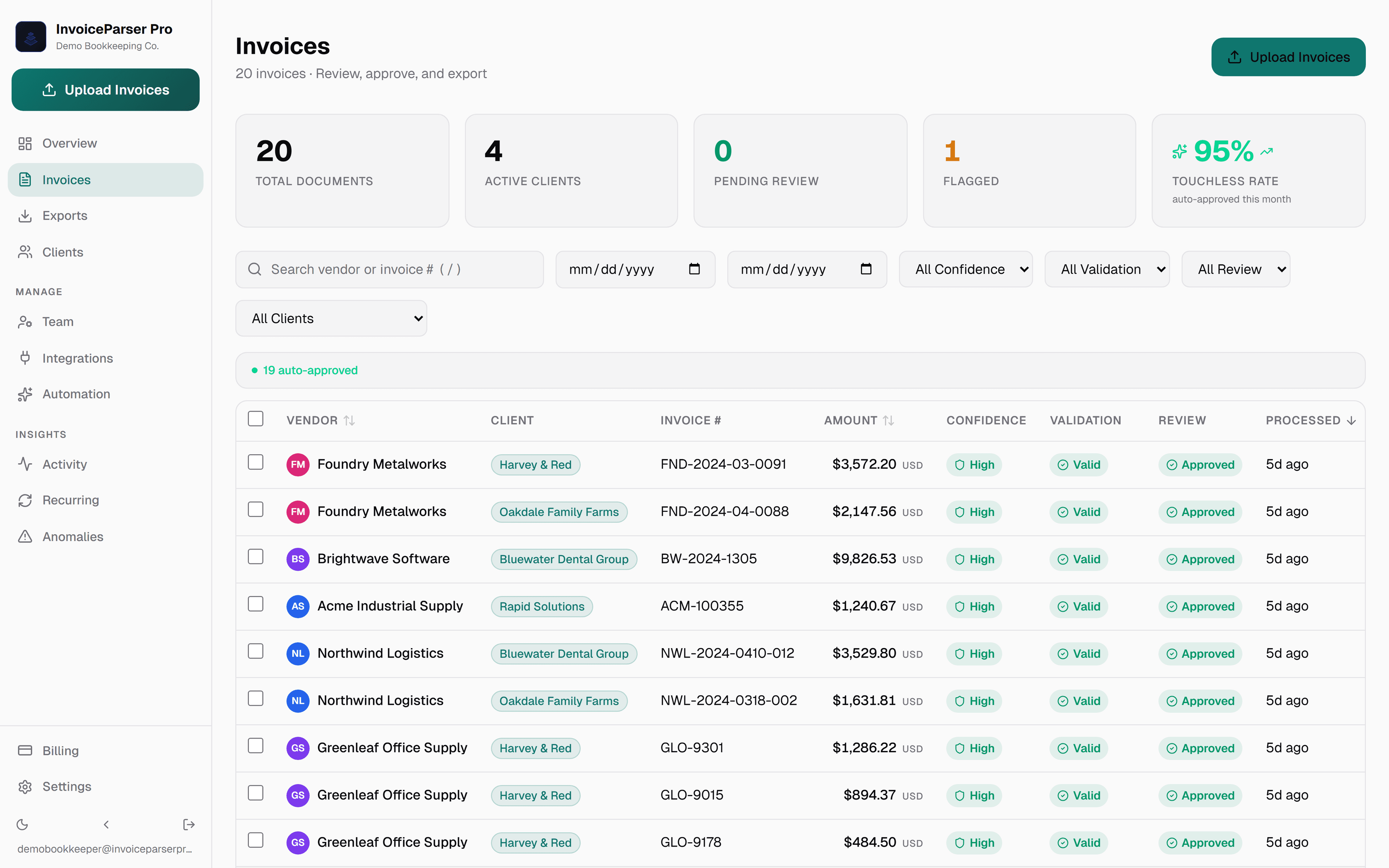
Upload a bill, or a phone photo of it. InvoiceParser Pro reads the vendor, line items, tax and total, checks that the lines and totals add up, and warns you when the same bill has come in before. Download Excel or CSV on any plan, or push approved bills to QuickBooks Online, Xero or Zoho Books on a paid plan.
Up to 3 invoices a day without signup · Free plan: 25 invoices a month · No card
Product capture · synthetic data
Built for people who just need it to work
Three steps. That's it.
Simple pricing. 14-day free trial.
14-day free trial on all plans — no credit card required. Cancel anytime.
- Individual bookkeeper or AP
- QuickBooks, Xero, Zoho sync
- Or $63/mo billed annually
- Clients in one workspace
- Unlimited users
- Approval workflows
- Larger firms
- API access
- Everything in Team
The Free plan includes 25 invoices a month and has no overage charges. Every plan includes line items, math checks, confidence scores and Excel/CSV export.
More than invoices
Common questions
Check your next supplier bill.
The first ones need no account: up to 3 invoices a day. When you want to keep them, the Free plan holds 25 invoices a month, with no card.
14-day free trial · Starter from $79/mo · No credit card required
Accounting handoff, with the limits stated
Paid plans and the trial can push approved bills. Each workspace connects to one company per provider; separate client books use exports or separate workspaces and sign-ins. Direct pushes use the selected invoice expense account, a matching client default, or your workspace default. QuickBooks supports mapped tax codes; Xero and Zoho Books pushes do not set tax codes.
Also built for
- Accounting firms Many clients in one workspace, each with its own email-in address. Staff review the flagged bills, not every bill.
- Bookkeepers Monthly bill entry for clients: every line read, the totals checked, then pushed to QuickBooks Online or exported.
- AP teams and controllers Approval chains, duplicate checks and a recorded history of who approved what, and when.
- Freight and logistics Costs tagged to trip numbers, each invoice kept in the currency it was billed, handwritten slips read.
Want to see the check on your own paperwork first? Try a document: up to 3 invoices a day, no signup.