PDF invoice to Excel
Convert a PDF invoice to Excel, including line items
Last updated
To convert a PDF invoice to Excel, choose whether you need its table alone or a workbook with invoice headers and line items. Excel’s PDF connector can import selectable tables; scans and photos need document reading. IPP returns an Excel workbook with each invoice and line item, plus confidence and arithmetic checks to review. Try up to three documents per browser per day, subject to shared limits, before signup.
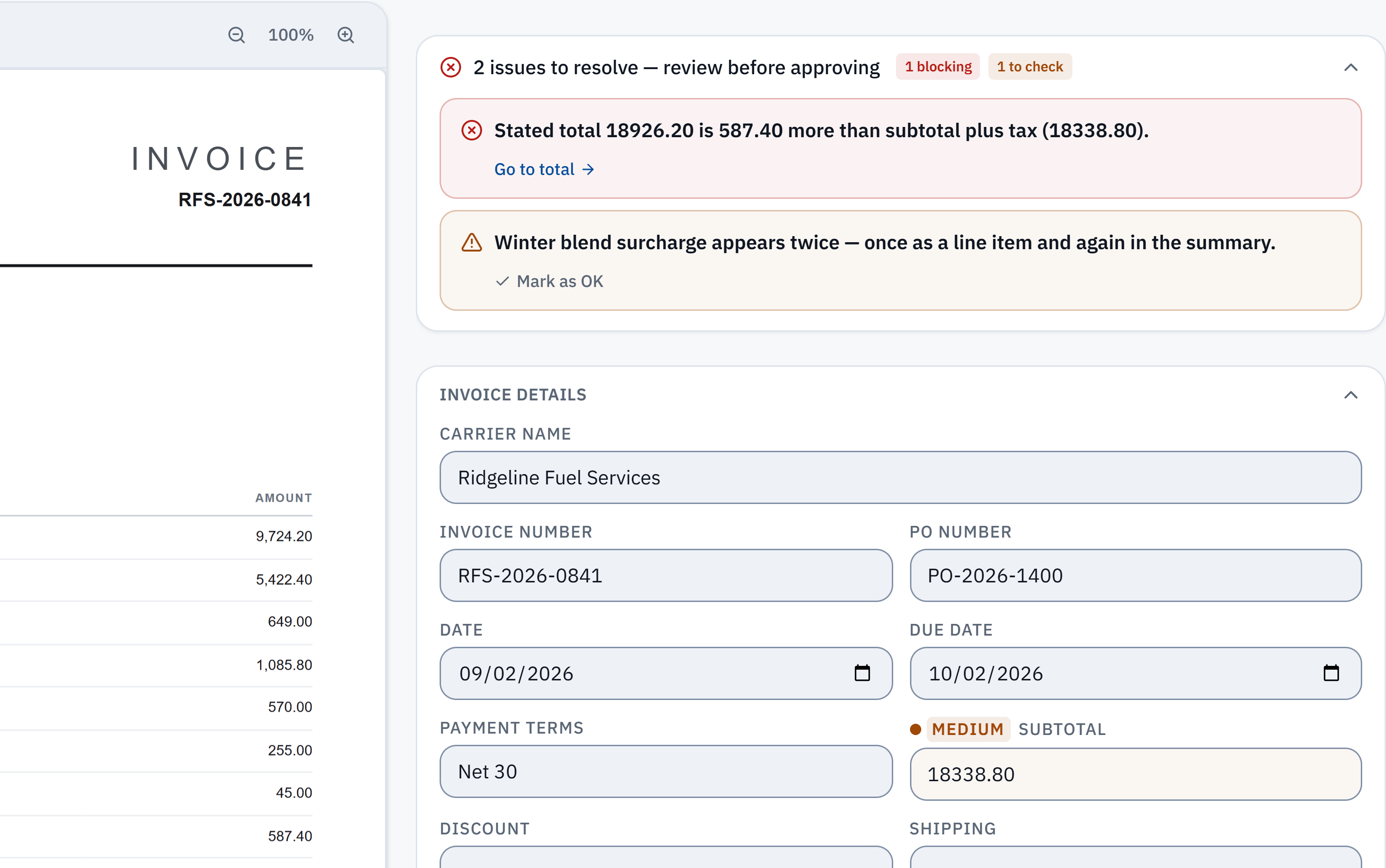
18,926.20 − 18,338.80 = 587.40. The stated total does not reconcile with the extracted subtotal and tax. Check it against the source.
Winter blend surcharge appears in a line item and the summary. A reviewer needs to check whether it was counted twice; this is a flag, not a deletion.
Without IPP
In Excel: Get Data from PDF
Excel’s Power Query has a PDF connector. Microsoft documents it for Excel for Microsoft 365 and recent desktop versions.
- 1
Open the PDF connector
In Excel, select Data > Get Data > From File > From PDF.
- 2
Pick the invoice
Choose the PDF file and select Open. The Navigator lists the tables and pages Excel found in it.
- 3
Choose the table
Select the table that holds the invoice lines. Preview it on the right before you load it.
- 4
Load or clean it up
Select Load to put it on a sheet as it is, or Transform Data to rename columns, remove blank rows and set number types in Power Query first.
- 5
Add what the table left out
Type the supplier, invoice number, invoice date, due date, tax and total next to the lines, and check the lines add up to the printed total.
- Microsoft notes the PDF connector needs .NET Framework 4.5 or later on your computer.
- Each supplier lays out its table differently, so the columns land differently for each one and need their own clean-up.
- A scanned PDF or a phone photo is a picture of text. Power Query reads text, so it finds little or nothing in a scan.
- One file at a time. For a month of invoices, you repeat this for each PDF.
Checked against Microsoft: Import data from data sources (Power Query), read 3 October 2026. Menus change; the vendor's page is the authority.
In InvoiceParser Pro
Up to 3 invoices a day, free, with no signup
The free tool at /invoice-to-excel reads an invoice without an account. It works on digital PDFs, scans and phone photos.
- 1
Open the free tool
Go to invoiceparserpro.com/invoice-to-excel. No account, no card.
- 2
Upload the invoice
Drop in one PDF or a photo of an invoice.
- 3
Check the result
IPP reads the supplier, invoice number, dates, line items, tax and totals, and says so when the printed figures do not add up.
- 4
Download Excel
Select Excel. The workbook has a summary sheet, an All Invoices sheet with one row per invoice, and a Line Items sheet with one row per line: description, quantity, unit price, tax and line total. A CSV with one row per invoice is there too.
In InvoiceParser Pro
A month of invoices into one workbook
To keep your invoices and their history, a free workspace reads 25 invoices a month; paid plans read more.
- 1
Create a free workspace
Sign up with an email address. The 14-day trial starts with 50 invoices and needs no card.
- 2
Upload the batch
Select Upload Invoices and add up to 50 files at once: PDFs, scans or photos (PDF, PNG, JPG or TIFF). They are read in parallel. You can also email invoices to the inbox address IPP gives each client.
- 3
Review only what is flagged
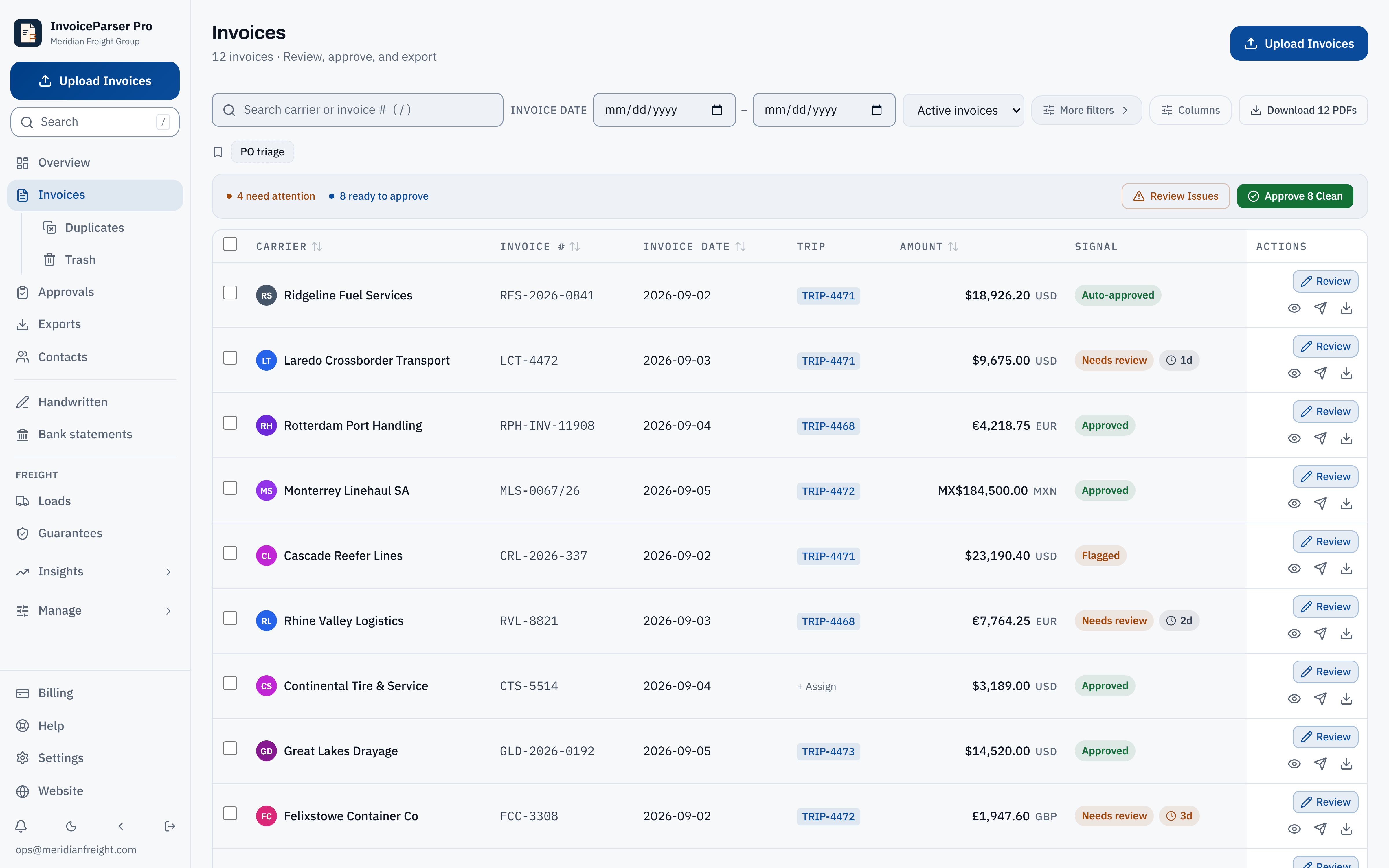
Each invoice opens beside its source page. Fields are graded High, Medium or Low confidence, and an invoice whose subtotal, discount, shipping, fees and tax do not add up to its total is flagged with the difference.
- 4
Export
Download the batch from Exports as Excel (one row per invoice plus a sheet of every line item) or CSV (one row per invoice). Corrections you made are in the file.
Where IPP removes steps
- Scanned PDFs and photos
- By hand: Power Query reads text, so a scan has to be typed in.
- With IPP: Read the same way as a digital PDF.
- Supplier, number, dates, totals
- By hand: Typed beside the table by hand.
- With IPP: Read from the page, one row per invoice.
- Line items
- By hand: One table per PDF, cleaned up per supplier layout.
- With IPP: Every invoice’s lines on one Line Items sheet, same columns.
- Checking the totals
- By hand: Your own SUM against the printed total.
- With IPP: Arithmetic checked on every invoice; mismatches flagged with the figures.
- Fifty invoices
- By hand: Fifty imports.
- With IPP: One upload, one download.
How well does the reading hold up?
In IPP's own benchmark, 181 synthetic test documents (clean PDFs, scans, phone photos and handwritten invoices) went through live production on 3 October 2026. 174 of the 181 came back with every key header field right, and 174 of the 179 documents with line items had every line right. That is a benchmark on test documents, not a promise about yours.
Method, misses and downloadable samplesWhat IPP does not do here
- It does not fill in your own spreadsheet template cell by cell. Paid plans can save a custom CSV layout (your column names and order) for the invoice-level fields.
- The CSV is one row per invoice. Line items are in the Excel workbook’s Line Items sheet.
- A file holding several invoices is flagged and held, not split. Upload one invoice per file.
- It reads invoices you receive. It is not a tool for creating invoices to send.
Questions
Can I convert a PDF invoice to Excel for free?
Yes. Excel’s Get Data from PDF is free if you already have Excel, and works on PDFs produced by software. IPP’s free tool converts up to 3 invoices a day with no account, and a free workspace reads 25 invoices a month with Excel and CSV export.
Does it work on scanned invoices, not just digital PDFs?
Yes. IPP reads scanned PDFs and JPG or PNG photos as well as digital PDFs. Low-quality scans get lower confidence grades so you know what to check, and a scan too poor to read is turned away rather than guessed at.
Are line items included in the Excel file?
Yes. The workbook has a Line Items sheet with the invoice number, supplier, line number, description, quantity, unit price, tax and line total for every line of every invoice in the batch.
How is this different from a PDF-to-Excel converter?
A general converter copies the layout of the page into cells. An invoice reader knows which figure is the invoice number, which is the tax and which is the total, puts every invoice in the same columns, and checks that the figures add up.
Can I send the result to QuickBooks or Xero instead?
Yes. Paid plans and the trial push approved invoices to QuickBooks Online, Xero or Zoho Books as bills, and every plan can download a QuickBooks Online or Zoho Books import file.
Try it on one of your own invoices
Upload a PDF, JPEG or PNG in the browser tool: up to three documents per browser per day, subject to shared limits. Excel keeps line items; CSV has one summary row per invoice. Unclaimed files expire after seven days. The Free workspace plan includes 25 invoices a month. Start the 14-day trial with 50 invoices, no credit card, then the Free plan to test approved accounting pushes.