Xero invoice processing
Xero invoice processing for PDF and scanned bills
Last updated
Xero invoice processing starts with a manual bill, PDF upload, email or CSV import. Native capture creates a draft and fills readable header fields; review the lines, account and tax. IPP reads the lines and checks arithmetic before an approved draft-bill push with the PDF attached. Direct pushes use the selected invoice expense account, a matching client default, or the workspace default and do not set Xero tax codes.
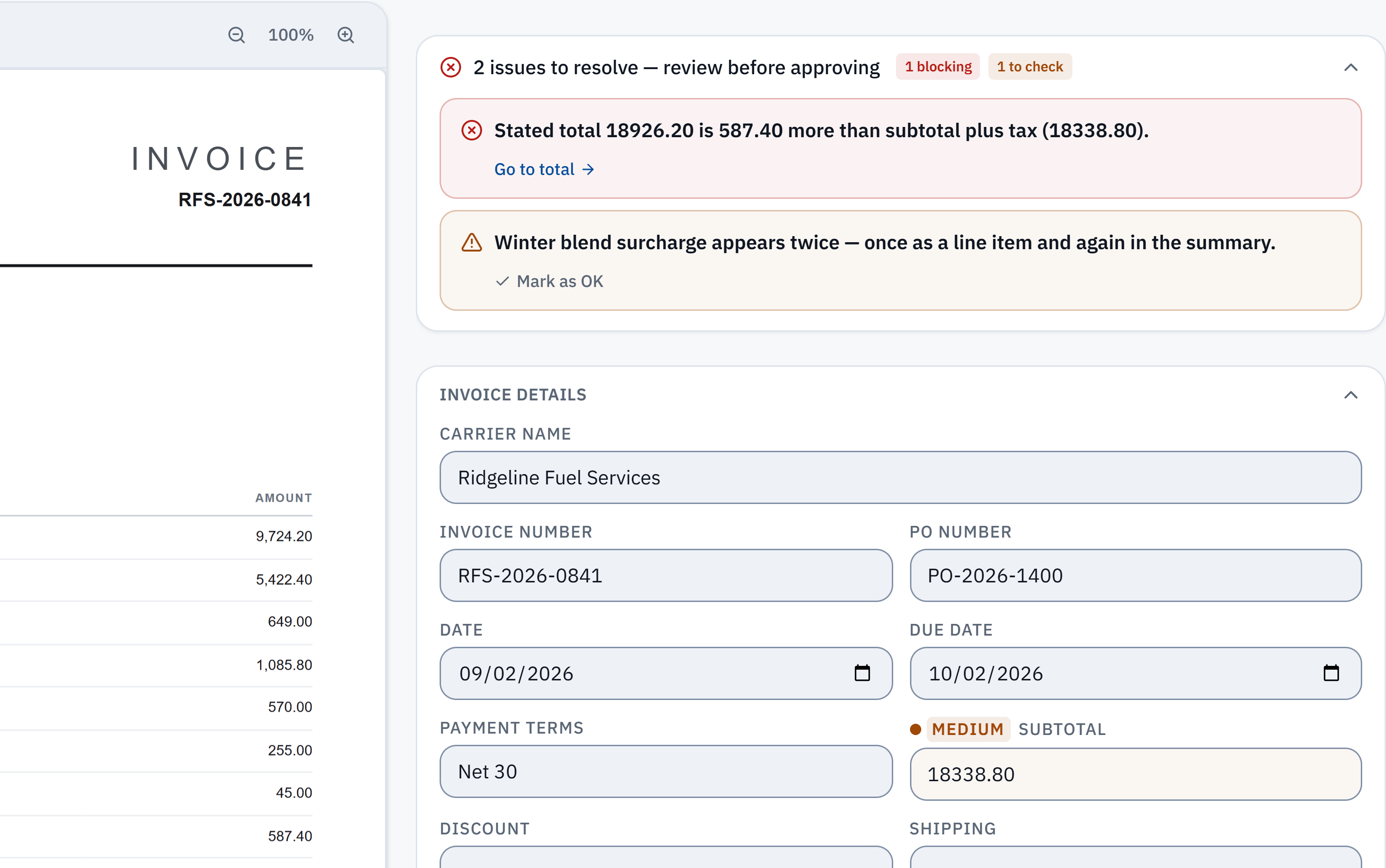
18,926.20 − 18,338.80 = 587.40. The stated total does not reconcile with the extracted subtotal and tax. Check it against the source.
Winter blend surcharge appears in a line item and the summary. A reviewer needs to check whether it was counted twice; this is a flag, not a deletion.
Without IPP
Add a bill by hand in Xero
- 1
Open a new bill
In the Purchases menu, select Bills, then New bill.
- 2
Enter the header
Enter the supplier, the date, the due date and a reference (usually the supplier’s invoice number).
- 3
Enter each line
Enter the item and description, quantity and price, and choose an account for the purchase.
- 4
Set the tax
Select the tax rate for each line, and optionally attach the invoice file.
- 5
Save or approve
Save it as a draft, submit it for approval, or approve it. Approved bills show on the Awaiting payment tab.
Checked against Xero Central: Add bills, read 3 October 2026. Menus change; the vendor's page is the authority.
Without IPP
Upload or email PDFs to Xero
This is Xero’s own PDF-to-bill route, and the usual answer to scanning invoices into Xero.
- 1
Upload the files
In Purchases, select Bills, then New bill, then Upload bills. Select the files or drag them in (JPG, PDF or PNG, each under 25MB), review them and select Upload. Each file becomes a draft bill with the file attached.
- 2
Or email them
Copy your organisation’s bills email address from Purchases > Bills > New bill, and forward invoices to it as attachments: up to 10 bills and 25MB per email. The bill must be an attachment, not the email body.
- 3
Open the drafts
Go to Purchases > Bills > Draft. Where Xero could read the file it has filled the contact, date, due date, reference and total (emailed bills also get a description).
- 4
Finish each bill
Add the lines, account codes and tax rates, check the total, then save or approve.
- Xero creates the draft in your base currency and sets it to Tax Inclusive; a foreign-currency bill has to be changed by hand.
- Xero notes that your pricing plan can limit how many bills you can enter.
Checked against Xero Central: Upload bills into Xero and Email bills to your Xero organisation, read 3 October 2026. Menus change; the vendor's page is the authority.
Without IPP
Import a batch of bills from CSV
- 1
Get the template
In Purchases > Bills, select New bill, then Import from CSV, and download the template.
- 2
Fill it in
One row per line: Contact Name (required), Invoice Number, dates as DD/MM/YYYY, Quantity, Unit Amount, Account Code and Tax Type. Rows with the same invoice number become one bill.
- 3
Import
Upload the file, say whether the amounts are tax inclusive or exclusive, select Confirm, then Complete import. The bills arrive as drafts to approve.
- Someone still has to read every invoice into the spreadsheet first. Xero suggests splitting files over 500 items.
Checked against Xero Central: Import bills and credit notes, read 3 October 2026. Menus change; the vendor's page is the authority.
In InvoiceParser Pro
Read and check first, then push to Xero
The push to Xero is on the paid plans and the 14-day trial.
- 1
Connect Xero
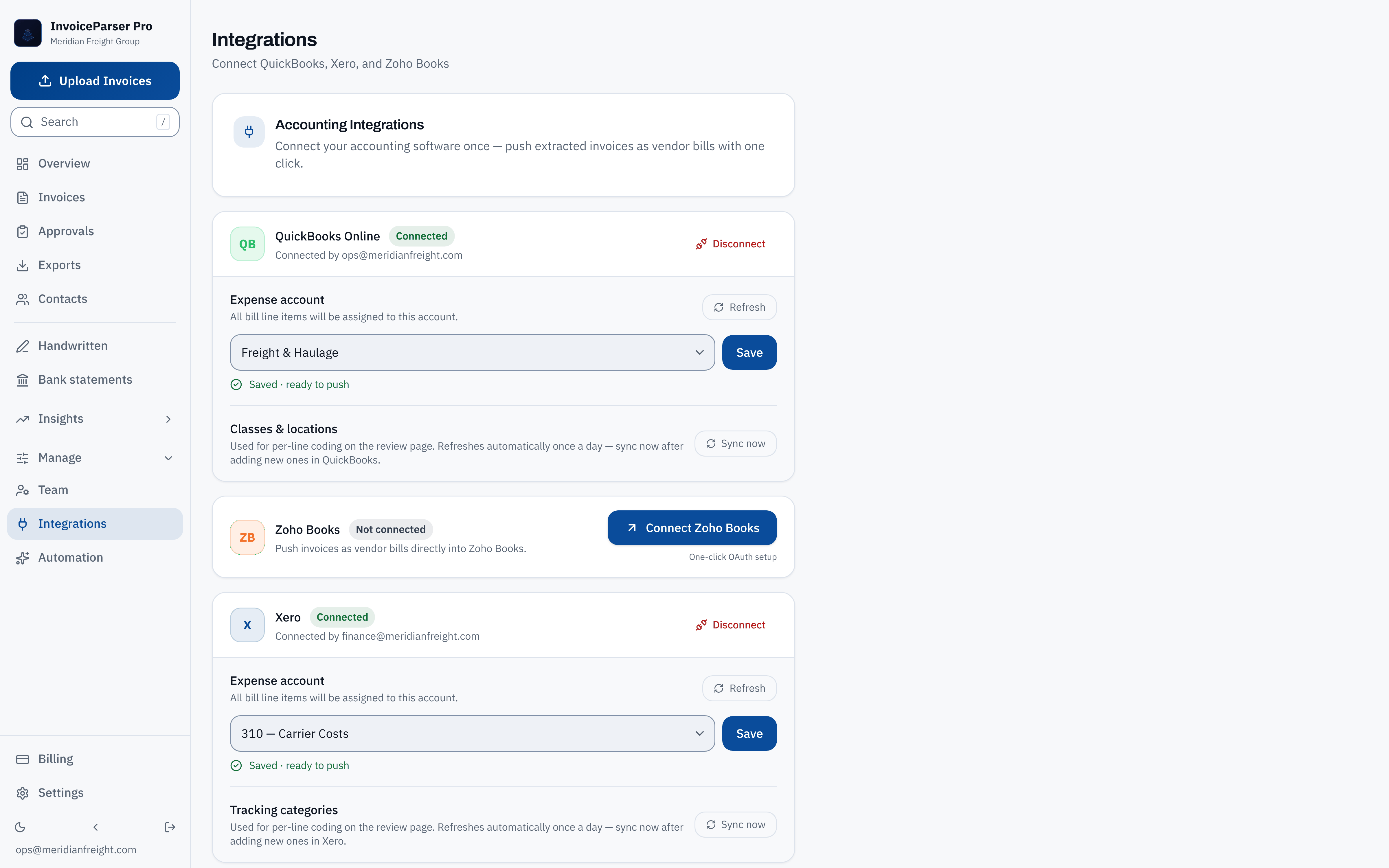
In Settings > Integrations, a workspace admin connects Xero through Xero’s own sign-in (OAuth) and picks the expense account bills should use.
- 2
Upload or email the invoices
Upload up to 50 PDFs, scans or photos at once, or email them to the inbox address IPP gives each client.
- 3
Review what is flagged
IPP reads the supplier, number, dates, every line and the tax, and checks that the figures add up. Mismatches, low-confidence fields and possible duplicates are flagged beside the source page.
- 4
Code and approve
Pick the account (remembered for that supplier) and up to two Xero tracking options, then approve.
- 5
Push, then approve in Xero
Each invoice arrives as a draft bill: the contact (created if new), date, due date, reference, and every line with its description, quantity and unit price, with the PDF attached. A credit note arrives as a credit note. Approve the drafts in Xero as usual.
- The Xero push does not set Xero tax rates yet. Tax goes on as its own line on the same account, and for a bill with VAT IPP asks you to confirm first. Because the bill arrives as a draft, you can set the tax rates in Xero before approving it.
- The draft is created in your organisation’s base currency. Check a foreign-currency invoice before approving it.
Where IPP removes steps
- Fields filled from the PDF
- By hand: Contact, dates, reference and total, when Xero can read the file.
- With IPP: Those plus every line item, the tax lines and the PO number.
- Arithmetic
- By hand: Xero recalculates the total from what you type.
- With IPP: The invoice’s own figures checked against each other before it reaches Xero.
- Account coding
- By hand: Chosen per line, or from supplier defaults.
- With IPP: Chosen once per supplier, then suggested.
- Duplicates
- By hand: Spotted by eye in the Draft tab.
- With IPP: Flagged before push; a possible duplicate needs a confirm.
- Approval
- By hand: In Xero.
- With IPP: In IPP before the push, then again in Xero as a draft.
Try a check you can repeat
Start with a worked invoice example
Download a fictional invoice, work through its printed figures, then compare what the tool reads. The examples show calculated expectations, not live extraction results or a competitor test.
Watch a short tutorial with a transcriptCheck one of your own invoicesUp to three documents per browser per day, subject to shared limits. No signup needed.
How well does the reading hold up?
In IPP's own benchmark, 181 synthetic test documents (clean PDFs, scans, phone photos and handwritten invoices) went through live production on 3 October 2026. 174 of the 181 came back with every key header field right, and 174 of the 179 documents with line items had every line right. That is a benchmark on test documents, not a promise about yours.
Method, misses and downloadable samplesWhat IPP does not do
- It does not set Xero tax rates on the push yet (VAT on your own tax codes is available for QuickBooks Online). Set them on the draft in Xero.
- One Xero organisation per workspace; clients inside the workspace push to it.
- All lines of one bill go to one account code.
- There is no Xero import file. Without the push, export Excel or CSV and use Xero’s CSV template.
- It does not pay bills or approve them in Xero for you.
Questions
Can Xero read a PDF invoice by itself?
Yes, partly. Uploaded or emailed bills become drafts, and when Xero can read the file it fills the contact, date, due date, reference and total. It does not fill the line items, account codes or tax rates; you add those. IPP fills the lines and checks the figures before the bill is created.
How do I scan invoices into Xero?
Scan each invoice to a PDF, JPG or PNG under 25MB, then upload it under Purchases > Bills > New bill > Upload bills, or email it to your bills address. With IPP, upload a stack of up to 50 scans, review the flagged ones and push them as drafts.
Do pushed bills go straight to Awaiting payment?
No. IPP creates draft bills, so they wait in Xero’s Draft tab until someone approves them there.
Does it handle GST and VAT on Xero bills?
IPP reads each tax line with its rate and amount, and checks it against the total. The Xero push does not set tax rates yet: tax goes on as its own line, and you set the rates on the draft in Xero. A bill with VAT asks for your confirmation before it is pushed.
What does it cost?
Free for 25 invoices a month with Excel and CSV export. The Xero push is on Starter ($79 a month), Team ($249) and Scale ($599), and in the 14-day trial, which needs no card.
Try it on one of your own invoices
Upload a PDF, JPEG or PNG in the browser tool: up to three documents per browser per day, subject to shared limits. Excel keeps line items; CSV has one summary row per invoice. Unclaimed files expire after seven days. The Free workspace plan includes 25 invoices a month. Start the 14-day trial with 50 invoices, no credit card, then the Free plan to test approved accounting pushes.