Zoho Books invoice processing
Zoho Books invoice processing, reviewed before push.
Zoho Books invoice processing in IPP reads supplier bill headers and lines, checks arithmetic, then pushes approved bills with the PDF attached. Direct pushes use the selected invoice expense account, a matching client default, or your workspace default. Zoho tax rates are not set; one organization connects per workspace.
Review the actual fields and flags before approving a bill. Invoice coding in IPP is separate from the default account used by direct pushes.
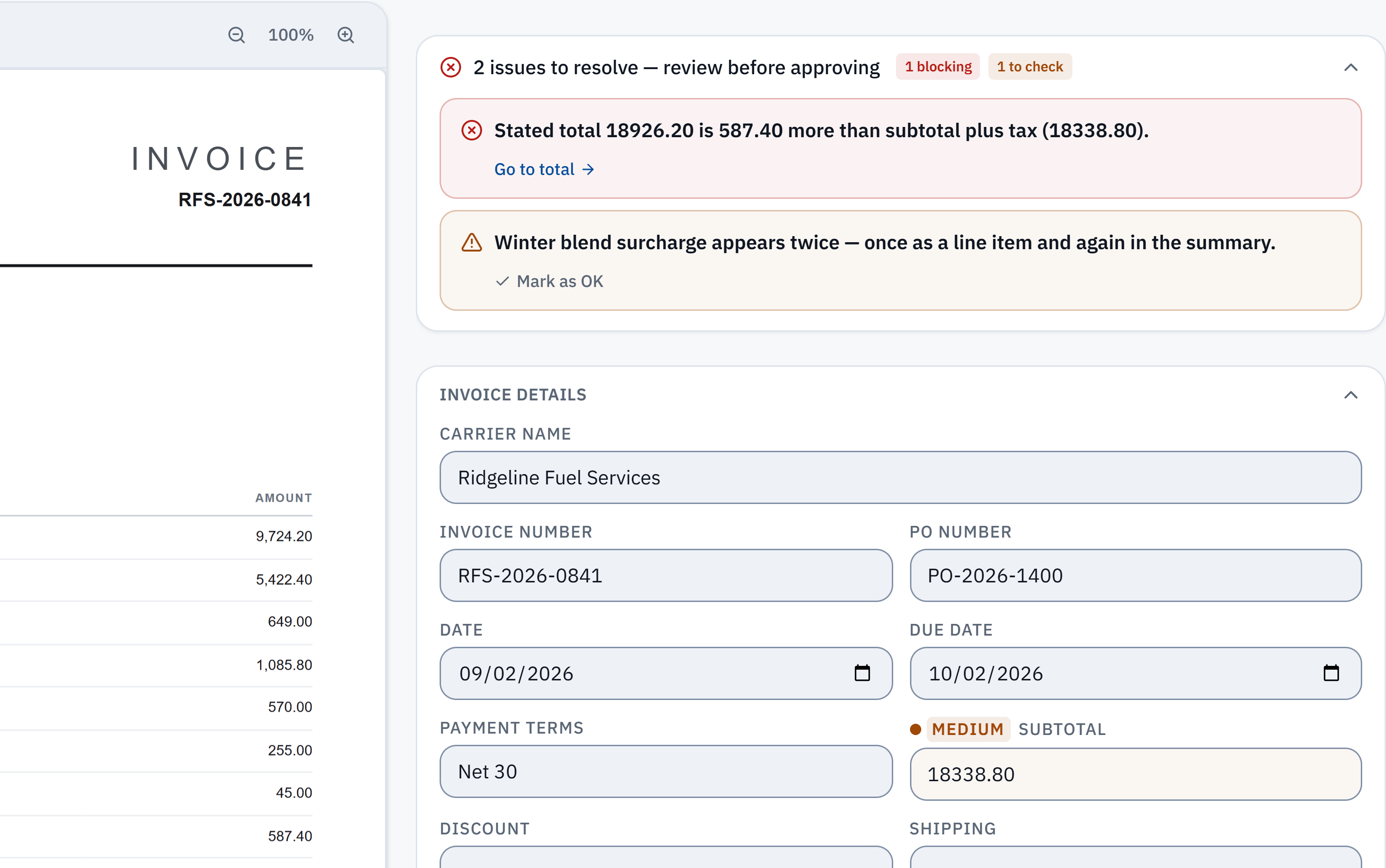
18,926.20 − 18,338.80 = 587.40. The stated total does not reconcile with the extracted subtotal and tax. Check it against the source.
Winter blend surcharge appears in a line item and the summary. A reviewer needs to check whether it was counted twice; this is a flag, not a deletion.
PDF invoice to Zoho Books bill with the source document alongside
Built for real Zoho Books bookkeeping workflows
Zoho Books integration FAQ
How does InvoiceParser Pro connect to Zoho Books?
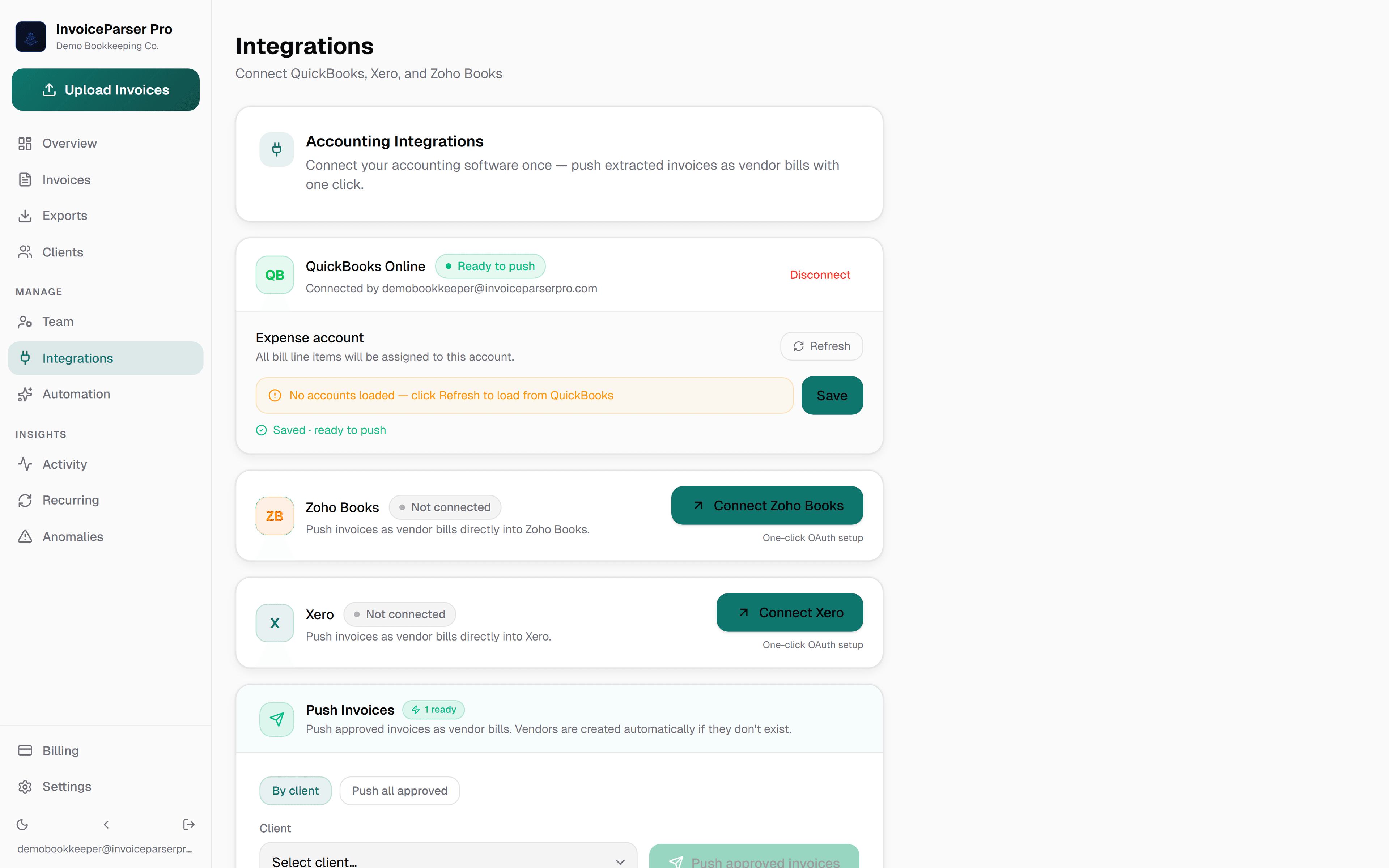
Connect Zoho Books from the Integrations tab using OAuth in one click — no API keys, no manual configuration. Once connected, approved invoices push directly to Zoho Books as vendor bills, with vendor details, line items, amounts and due date filled in. Nothing is pushed without an approval.
Does InvoiceParser Pro handle Zoho Books tax components like GST and VAT?
InvoiceParser Pro extracts each tax component individually — GST, CGST/SGST (India), VAT, KDV, and others — with rate and amount, for your review. The Zoho Books push does not set Zoho tax rates yet: the tax goes on the bill as its own line, and a VAT-registered workspace is asked to confirm before such a bill is pushed.
Can I process invoices for multiple Zoho Books organizations?
A workspace connects to one Zoho Books organization, and every client in that workspace pushes to it. Clients keep separate invoices, inbox addresses and defaults; separate client books need exports or separately connected workspaces/sign-ins.
Does it map line items to Zoho Books accounts?
Every line goes onto the Zoho Books bill with its description and amount, posted to the expense account you set in Integrations. You can code invoices in IPP, and vendor rules remember the account, but pushes do not carry per-invoice coding yet.
What invoice formats work with the Zoho Books integration?
PDF (digital and scanned) and JPG/JPEG images. Emailed PDFs, scanned paper invoices, and phone photos all work the same way. The Zoho Books integration is format-agnostic — any supported input pushes to Zoho Books identically.
Zoho Books push on paid plans and trial
Direct OAuth push to Zoho Books is available on every plan — Starter, Team, and Scale. No add-ons, no extra integration fees.
- 200 docs/mo
- 3 users
- 1,000 docs/mo
- Unlimited users
- 5,000 docs/mo
- Unlimited users
14-day trial with 50 invoices, no credit card, then the Free plan
Also available:
The handoff to Zoho Books
Know what you’re sending.
Connect the intended accounting company, review the invoice and account mappings, then push the approved bill. Direct sync is included on Starter, Team and Scale, and during the trial.
- Check the connected company and currency.
- Review vendor, dates, line items, tax and account coding.
- Resolve validation flags and approve the bill; nothing is pushed without an approval.
- Read the sync result and confirm the bill in Zoho Books.
Illustrative bill mapping · fictional data
This table explains the mapping. It is not a screenshot of Zoho Books or evidence of a live sync.
- Vendor
- Example Freight Co
- Bill reference
- DEMO-1042
- Currency
- USD
- Line items
- Linehaul $1,280.00 · Handling $120.00
- Bill total
- $1,400.00
- Account coding
- Default expense account set in Integrations
Direct pushes use the selected invoice expense account, a matching client default, or the workspace default from Integrations. Unverifiable coding is held for review. QuickBooks tax codes require mapping; Xero and Zoho tax codes are not set. One accounting company per provider connects to a workspace. Separate client books need exports or separately connected workspaces/sign-ins.
What if a sync fails?
Read the returned error, check the accounting connection and required mappings, and verify whether a bill already exists in the destination before retrying an uncertain result. If you cannot confirm the outcome, contact support with the error message. CSV / Excel export remains available as a separate workflow; importing it also requires checking for an existing bill.
What is outside this integration?
IPP does not execute payments. Self-service PO matching and freight rate-confirmation matching are not available. A valid invoice total does not confirm that a charge agrees with your carrier contract. Unsupported accounting systems can use CSV / Excel rather than a native sync.