Invoice processing software
Invoice processing with math and duplicate checks.
InvoiceParser Pro reads supplier PDFs and photos, checks quantity × unit price, lines, tax and totals, and flags possible duplicates against 400 days of workspace invoices. Review the extracted figures beside the source, then export Excel/CSV or push approved bills on paid plans.
Pushes use verified invoice coding, a matching client default, or the workspace default. QBO tax codes need mapping; Xero/Zoho codes are not set. One company per provider connects to a workspace. Separate client books need exports or separately connected workspaces/sign-ins.
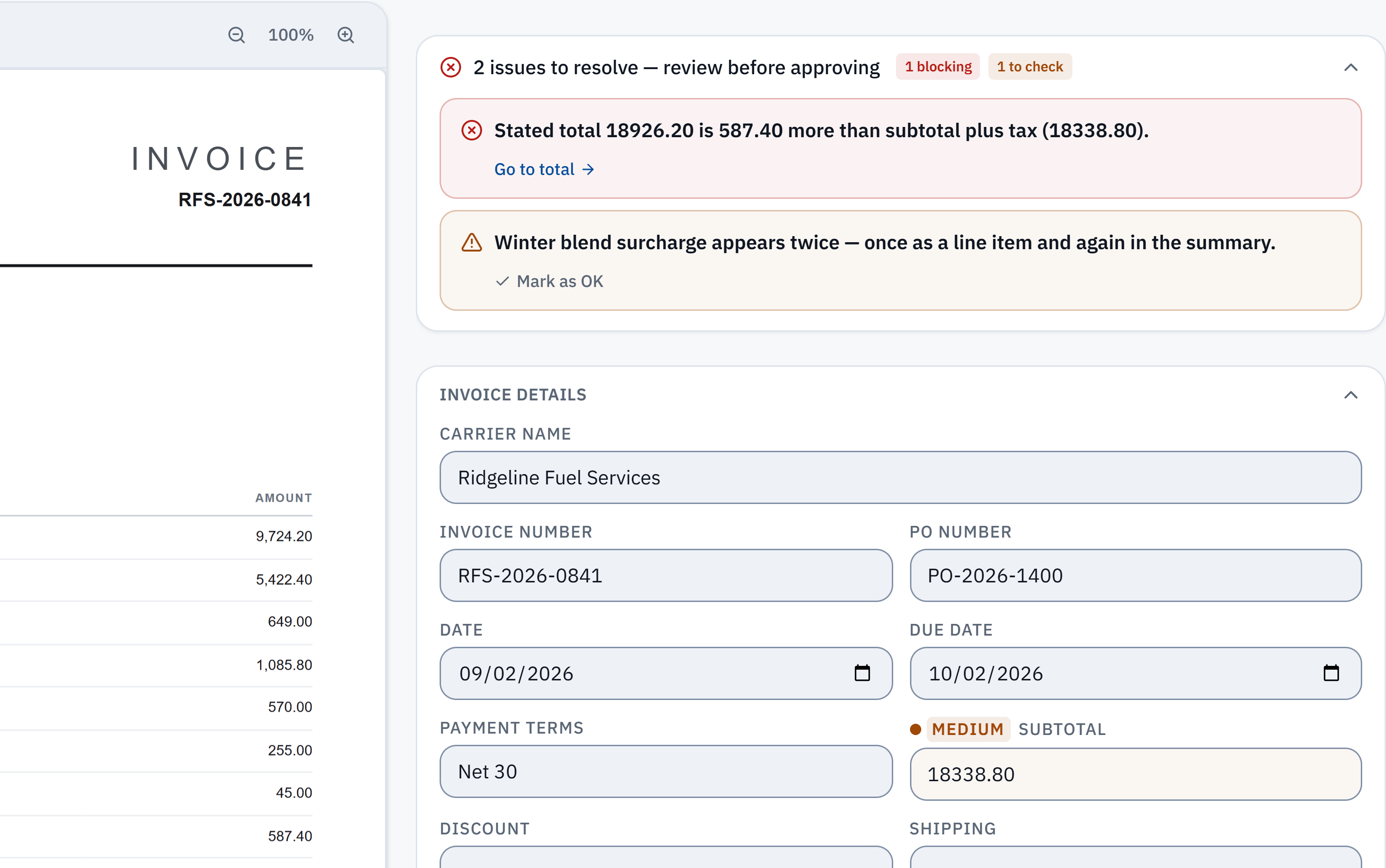
18,926.20 − 18,338.80 = 587.40. The stated total does not reconcile with the extracted subtotal and tax. Check it against the source.
Winter blend surcharge appears in a line item and the summary. A reviewer needs to check whether it was counted twice; this is a flag, not a deletion.
What gets checked
Arithmetic and duplicate review are different checks.
- Recompute this invoice’s figures
- Compare quantity × unit price with each printed line amount, the lines with the subtotal, tax with its printed rate where identifiable, and the parts with the total. A printed total can add up while a line is wrong: four units at $75 imply $300, even if the invoice prints $375. The fictional worked invoice and answer key show that calculation; they are not a live extraction result.
- Compare with your workspace history
- A workspace looks back 400 days using vendor, invoice number, amount and date, including near matches. Different stated invoice numbers are never grouped. Review the matched invoices and reason, choose which copies to keep or mark “Not a duplicate.” The no-account checker has no history and cannot do this comparison.
These are checks for source review, not proof that goods arrived, a price matches a contract, an invoice is genuine or a bill was already paid. A possible duplicate is your decision; IPP does not remove it automatically or move money.
Test the recurring workflow in a workspace: the 14-day trial includes 50 invoices, then the Free plan includes 25 a month. Paid plans add processing capacity and accounting pushes. Compare your actual volume and required workflow with the published plans.
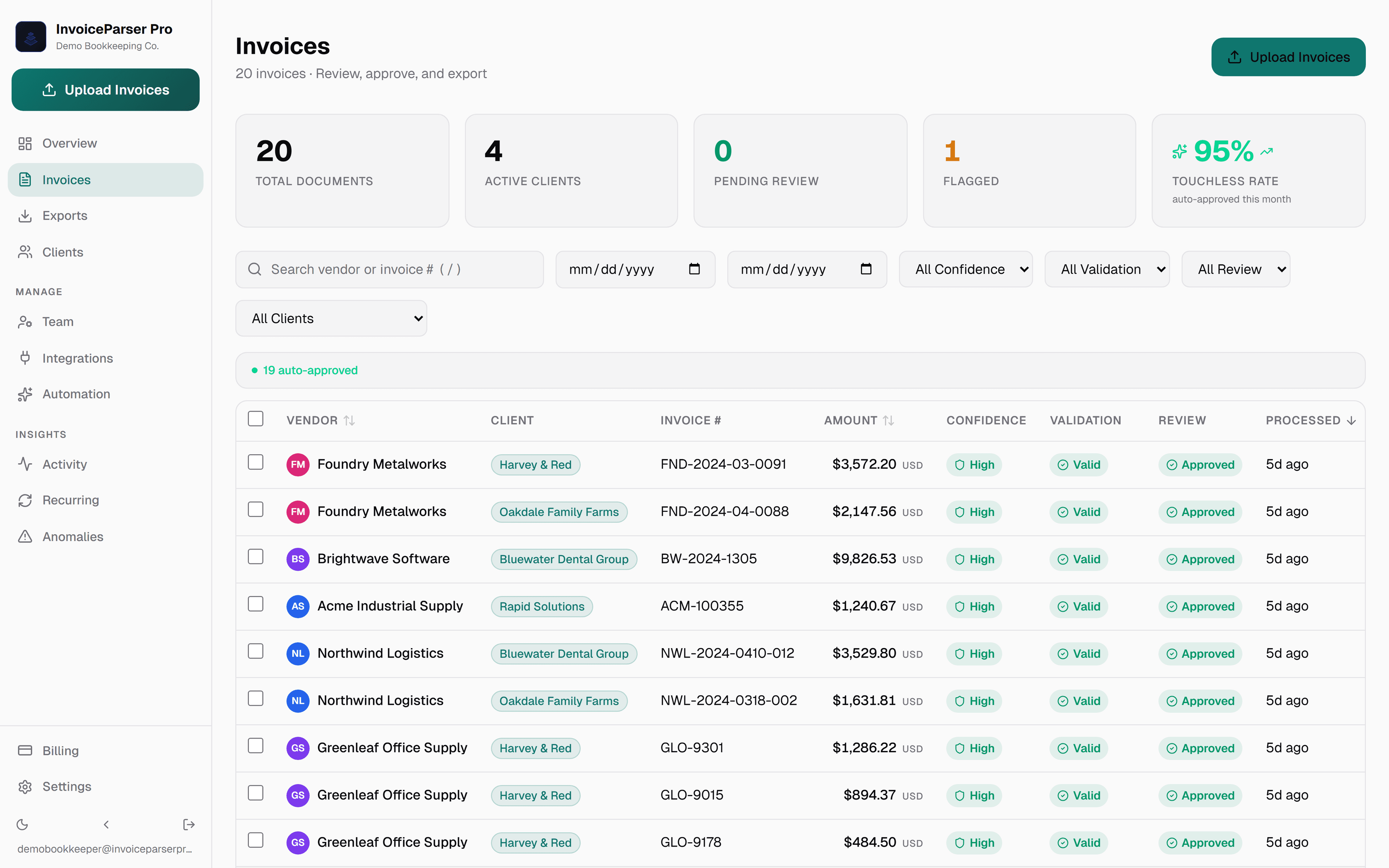
Capture, check, review and hand off.
From PDF to QuickBooks with the source document alongside
Published plans and invoice allowances.
14-day trial with 50 invoices, no credit card, then the Free plan. Paid-plan overage terms are on the pricing page.
Invoice processing software questions
What is invoice processing software?
Invoice processing software reads supplier bills into structured fields for review. IPP extracts headers and line items, checks arithmetic and shows confidence and possible duplicates. Approved paid pushes use the selected invoice expense account, a matching client default, or the workspace default; QBO tax codes require mapping, while Xero/Zoho codes are not set.
How does AI invoice processing work?
AI invoice processing uses a combination of OCR (Optical Character Recognition) and large language models to read invoice documents, read header fields and line items, validate math (subtotal + taxes = total), assign confidence scores, and structure the output for export or accounting system sync — all without templates or manual field mapping.
What makes InvoiceParser Pro different from other invoice processing software?
Supplier-invoice extraction needs no per-layout templates or model training. Line items, confidence and arithmetic checks are included on every plan. Review the source document before approval. Paid plans and the trial can push to QuickBooks Online, Xero or Zoho Books within the stated account, tax and company limits.
Which invoice calculations does InvoiceParser Pro check?
IPP compares each line’s quantity × unit price with its printed amount, lines with the printed subtotal, tax with its printed rate where identifiable, and subtotal less discounts plus shipping, fees and tax with the total. A mismatch shows the figures and difference for review. Passing arithmetic does not confirm an agreed price, receipt of goods or payment status.
How does InvoiceParser Pro check for duplicate invoices?
A workspace compares a new invoice with invoices received in the last 400 days using vendor, invoice number, amount and date, including near matches. Different stated invoice numbers are never grouped. You review the match, choose which copies to keep or mark it not a duplicate; nothing is removed automatically. The no-account checker handles one invoice’s math and has no duplicate history. A duplicate flag is not proof that a bill was paid.
How much does invoice processing software cost?
InvoiceParser Pro publishes its prices: Free for 25 invoices a month (1 user, no credit card); Starter $79 a month for 200 invoices and 3 users; Team $249 a month for 1,000 invoices and unlimited users; Scale $599 a month for 5,000 invoices, with API access. Billed annually they are $63, $199 and $479 a month. For more than 5,000 invoices a month, email us about Enterprise and we'll scope it with you.
Does invoice processing software work with scanned invoices?
Supported scanned PDFs and phone photos can be read to the same structured fields. Check legibility, extracted values and confidence beside the source; quality affects the result.
The invoice processing software built for your workflow
Review a document before signup, or start a workspace trial. Check the source, extracted lines and flags before approval.
InvoiceParser Pro publishes its prices: Free for 25 invoices a month (1 user, no credit card); Starter $79 a month for 200 invoices and 3 users; Team $249 a month for 1,000 invoices and unlimited users; Scale $599 a month for 5,000 invoices, with API access. Billed annually they are $63, $199 and $479 a month. For more than 5,000 invoices a month, email us about Enterprise and we'll scope it with you.